How to Minimize the Risks of Getting Your Facebook Ad Account Disabled

2022-03-05
Though Facebook was initially created as a service for students, it began to spread worldwide, reaching billions of people all over the world. No wonder it became attractive for advertisers and entrepreneurs because Facebook Ads manager gives you an opportunity to tell the world about your product or service. Everyone is on Facebook, so the chances to find your potential buyer are very high, and you are provided with an opportunity to target your ads at them.
However, with great power comes great responsibility. The more popular Facebook gets, the more rules there are. A lot of ads are disabled and Ad accounts are blocked because people simply forget about following terms of service. Yet, sometimes the reasons for an account ban are quite unclear. Even if you truly believe that you haven't violated any rules, there still may be some traps that you haven't thought of or been aware of.
So let's research the reasons why a Facebook Ad account might get disabled.
Ad account disabled for policy violation
If you think that Facebook disabled an Ad account for no reason, you can be right. It may have happened due to a spontaneous spot-check. However, there's a great chance you violated some rule without even realizing it. The point is, even if you were following all the policies, Facebook updates them quite often. It is essential to always keep up with the changes.
So, what are Facebook advertising policies? Here is the list of the most common ones that you should pay attention to:

- Don't sell any prohibited products or services
This list consists of drug-related products, tobacco, alcohol, weapons, etc. Remember that it is constantly being updated.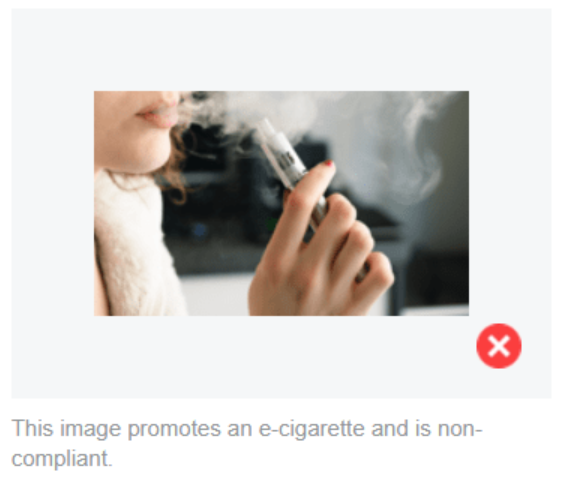
- Check whether your ads are tolerant and ethical
Everything that may be considered as any kind of discrimination violates advertising rules. Avoid launching ads discriminating against personal attributes such as age, gender, nationality, religion, appearance, and so on.
Here’s a vintage ad that would definitely be unacceptable in our days.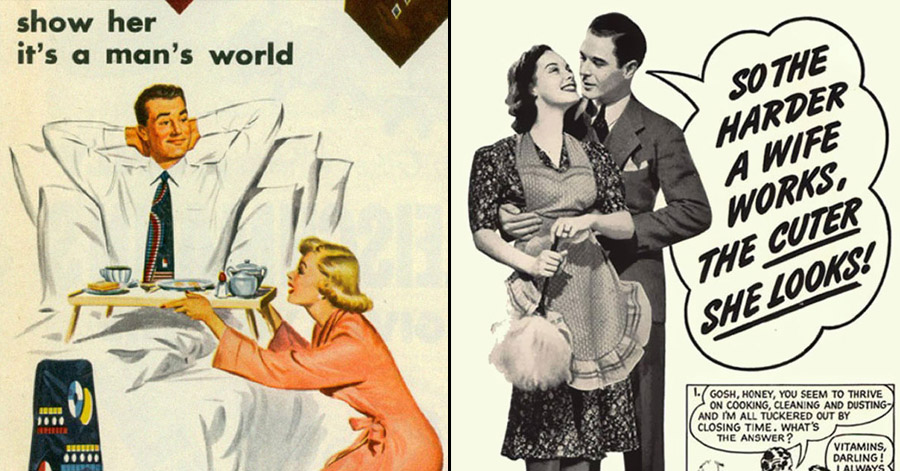
- Make sure that your ads are not misleading
If a person clicks on a picture of a fancy dress that redirects them to an online casino, it is definitely confusing and annoying. The ads which make unrealistic promises or that are unclear may be banned after the review process.
Also, whether you sell gym membership, skincare, or hair growth products, your ads should not contain any before and after comparisons. First, such images may be considered misleading, since the result is not guaranteed. Second, it may be found discriminatory. Avoid using such pictures on your landing page as well.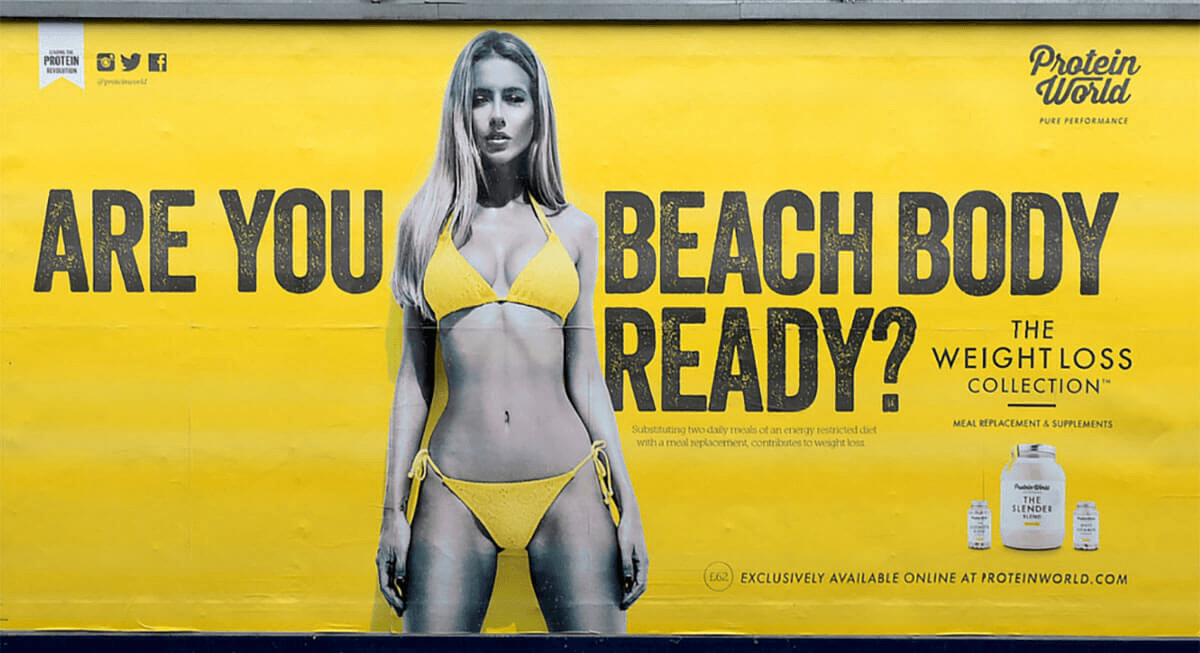
- Follow the rules of the country where you're advertising
Double-check that your product is legal to be sold and advertised in the place you chose for targeting. Be careful with the pictures you use as well since they may contain some illegal elements.
For instance, comparative advertising is prohibited in Canada. That is why the Verizon Wireless ad, appropriate in the US, would be forbidden there.
- Avoid shocking content
 Facebook does its best to provide first-rate conditions for all users. Your ad should invoke positive emotions, so avoid using negative images or associations. Violent language and gruesome imagery are strictly forbidden.

- Don't use fishy ways to collect data
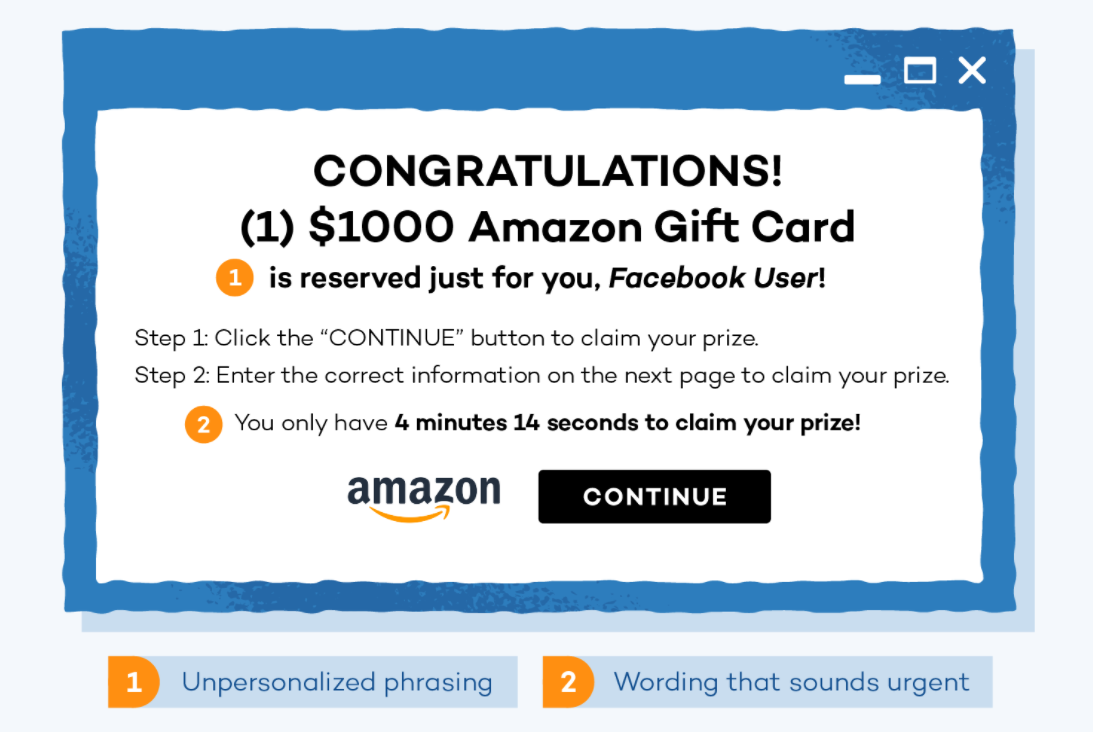
 Remember that Facebook is cautious when it comes to fishing out personal information. You can offer something in exchange for a phone number, for instance, but it shouldn't be mandatory. Otherwise, it violates Facebook ads policy and leads to an Ad account being disabled.
- Be careful with the pop-ups on your landing page
 Even if you are confident about the creatives and content of your ad, issues may occur if your landing page has a lot of unskippable pop-ups asking to leave personal information or offering to download something. Such a page will negatively influence your account's reputation.
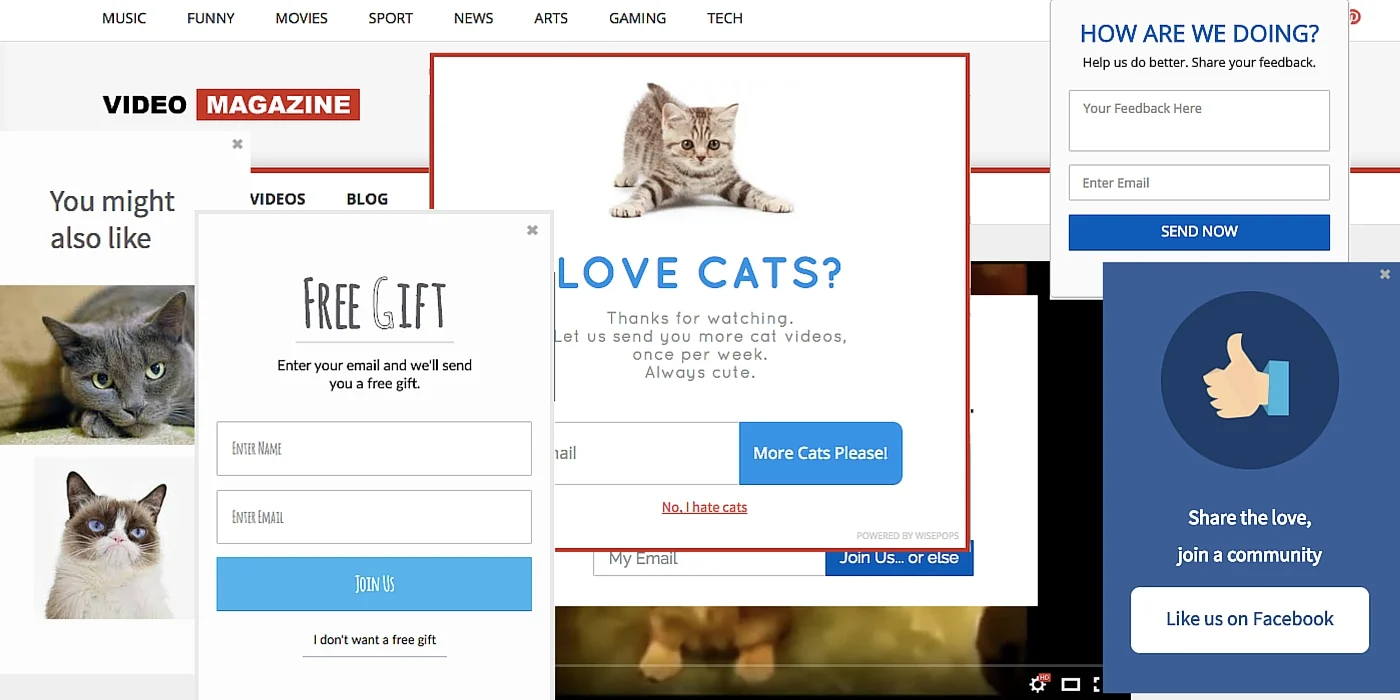
Does this picture ring any bells? (Yikes!)
If your Ad account was disabled by mistake
There is always a chance that you haven't violated any policies, yet still, your Ad account is blocked. As a matter of fact, the ads review process is automatic. Your ads are not approved by real people. Any AI has its own flaws.
For example, Facebook may mistakenly take an image of a baseball bat for a weapon, or candy for a pill, and reject your Ad or even shut down your Ad account. You didn't violate any policies, you didn't advertise prohibited products.
If this is the case, do not hesitate to submit an appeal.
Basic tips on how to avoid your Ad account getting disabled
It's not a secret that every Facebook account has some kind of credibility level. Here you can check your own credibility. You might be doing things that are indirectly affecting your reputation from Facebook's point of view.
Keep in mind that not only your Ad account should have a good reputation. It also concerns your personal and business pages as well as other Ad accounts that are added to your Facebook Business Manager.
If you want to build a good reputation on Facebook and minimize the risks of getting disabled, pay attention to the following points:
- Use Facebook Business Manager
Ad accounts added to a Business Manager tend to have a higher credibility level than personal advertising accounts. Also, the Business Manager provides you with many more opportunities for advertising. If you don't know how to set it up, you can follow this guide. - Pay attention to your language
Ads must not contain profanity or bad grammar and punctuation. Every symbol in your ad must be used properly: without misused capitalization and excessive characters or punctuation. It will not just affect your reputation but make your ad look unprofessional. - Don't use engagement bait
Due to people's complaints, Facebook identifies and demotes posts that include asking to like, share, comment, react, or tag someone. This type of activity is considered unauthentic and artificial. Instead, create meaningful and relevant content that will foster real engagement. - Appeal rejected ads
If your ad is not approved, do not hesitate to appeal. Facebook Support will look into the issue and clarify the situation. There is always a chance that it is a mistake, and your ad will be enabled. If not, delete rejected ads.
Sometimes, Facebook checks Ad accounts repeatedly. If it detects the disapproved ads again, it can disable the Ad account, so it would be better to delete them the moment you know that there is nothing else to do. - Stick to one payment method
If you used PayPal to pay for the service, don't switch to the card payment. If you are paying by card, stick to it. Even using a different card with the same name can seem suspicious.
Also, make sure that this card was not used by any other Ad account. If something happens to one of these Ad accounts, it can get the other ones shut down. - Keep an eye on your payments
Make sure that either the PayPal account or the card you use to pay for your ads always has enough money. If Facebook is not able to constantly charge you, it may lead to an account getting blocked. - Don't launch a lot of ads with a recently created Ad account
If you created your Ad account recently, it needs to be warmed up. Try to submit some easy ads for approval. The main thing you need to do during this period is to not act suspiciously. - Use the same IP
Facebook security system finds it distrustful if one Ad account uses several different IPs. It may also be a problem if someone else has access to your account. If your work implies a lot of traveling, or you need to give someone access to this Ad account, consider using a VPN. - Don’t start using all the advanced Business Manager features straightaway
Facebook Business Manager provides a lot of great opportunities and no wonder people are willing to use them all at once. But we would recommend you not do it, especially if your Ad account has been created recently. Start slow, don’t give Facebook any reasons to consider your account suspicious and disable it. - Monitor users’ feedback
One more thing that might make your Ad account disabled is if your ads, posts, or pages receive a lot of negative feedback.
The point is, feedback helps Facebook understand the experience people have with your business. It is critical for Facebook since it's trying to provide the service that will maximize the value for both businesses and users.
If your ad starts receiving high negative feedback, pause it as fast as possible. Apparently, your product doesn't meet customers' expectations. You may risk losing money or even getting your Ad account restricted. You can check the quality ranking score of your ads in the Ads section of your Ads Manager. We would advise you to always keep an eye on all the ad campaigns you've launched and all the responses you get.
Conclusion
Losing an Ad account may cost you dear. The process of getting your account back will take the time that you could use for advertising. We recommend you always keep up with Facebook policies and avoid all the pitfalls listed above.
Yet, in case your Ad account is disabled after all, don't panic. If you have followed all the policies and are sure about your Facebook ads, you can always request a review and appeal Facebook's decision.